
Question
How to remove the grey background color from the photographed document in FineReader PDF 15?
Answer
If the document has a grey color received after making a photo of it you may whiten the background as described below:
1. Launch the program.
2. Go to Tools > Options > Image Processing.
3. Enable the option Whiten background and press OK.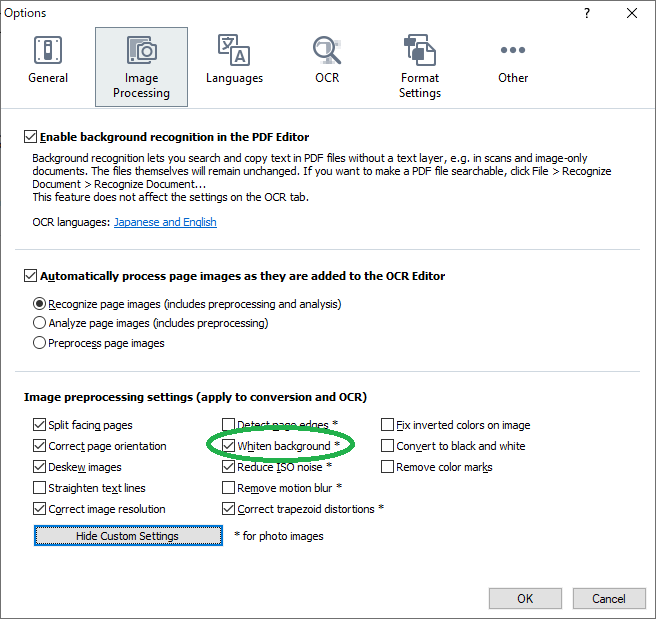
4. Close FineReader, open the needed file and recognize it.
5. Export in the required format.