
Symptoms
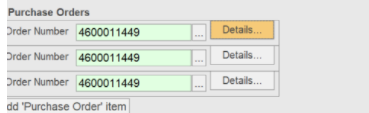
When using the PO matching feature the issue with duplicated entries appears as on the screenshot below:
Cause
Since Purchase Order is a Repeating Group, FlexiCapture always tries to extract all possible values in the document. If you want to keep only the first value, you can just remove all unnecessary group instances. This could be done via a custom Event Handler or Script Stage.
Resolution
The following script will remove all instances except the first one:
if (Document.HasField("Invoice Layout\\PurchaseOrder"))
{
while (Document.Field("Invoice Layout\\PurchaseOrder").Items.Count>1)
{
int itemsCount = Document.Field("Invoice Layout\\PurchaseOrder").Items.Count;
Document.Field("Invoice Layout\\PurchaseOrder").Items.Delete(itemsCount-1);
}
}
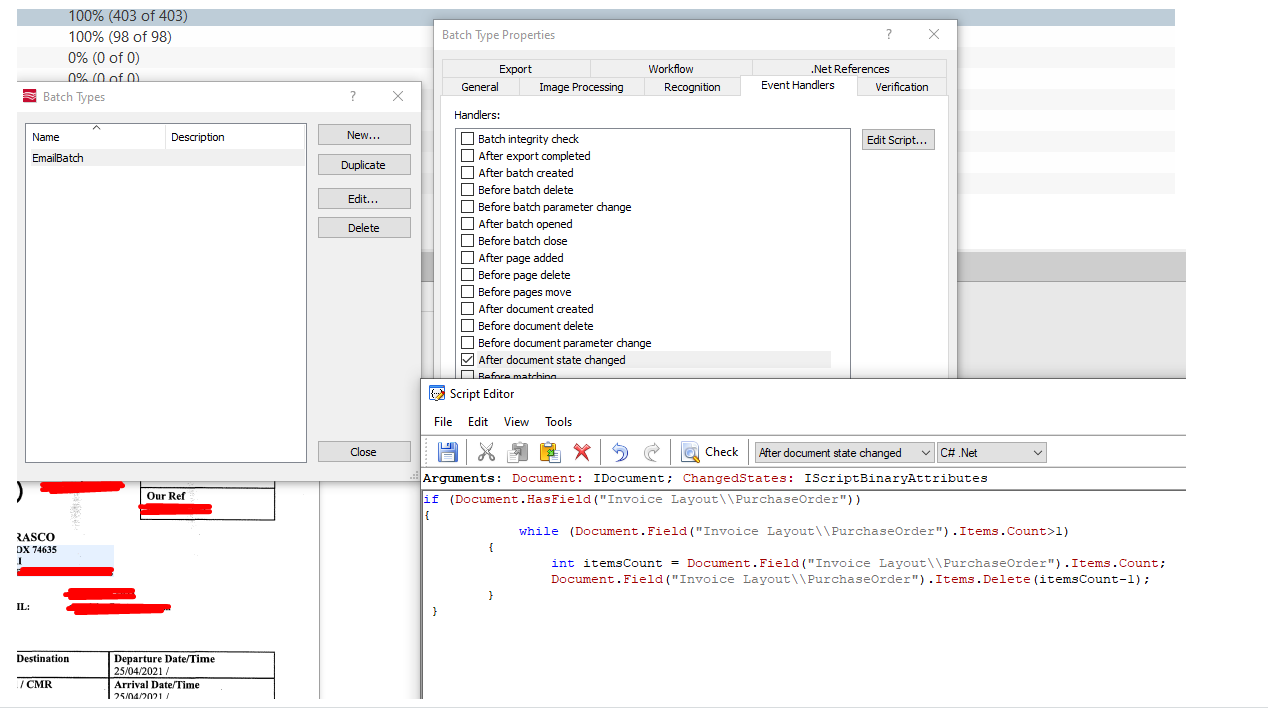
Add the script to the Event Handler of the batch type settings or Project settings:
- In Project Setup Station open menu Project
- Choose one of the following options:
- Batch Type, select the batch type, and click Edit > Event handlers > After document state changed > Edit Script.
- Project > Project Properties > Event Handlers > After document state changed > Edit Script.
- Batch Type, select the batch type, and click Edit > Event handlers > After document state changed > Edit Script.
Note: The provided script is only for demonstration purposes and must be modified in accordance with the desired workflow.