
Question:
How to convert/export specific pages of a document in FineReader PDF?
Answer:
To convert and save specific pages of a document, please follow one of the ways below:
PDF Editor
- Open a file in the PDF Editor.
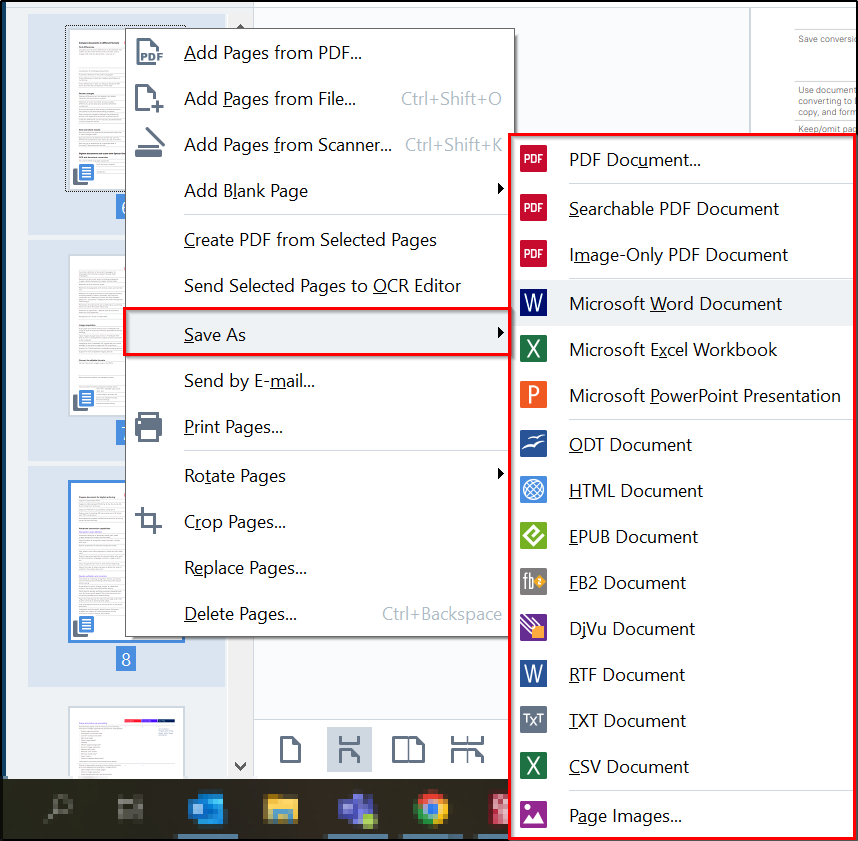
- In the PAGES pane, select the pages by Ctrl-clicking these pages.
- Right-click one of the selected pages > Save As > select the format > save the document.
OCR Editor
- Open a document in the OCR Editor and recognize it.
- In the PAGES pane, select the pages by Ctrl-clicking these pages.
- Right-click one of the selected pages > select Save As > select the format > save the document.