
Question
How to add page numbers to the document in FineReader?
Answer
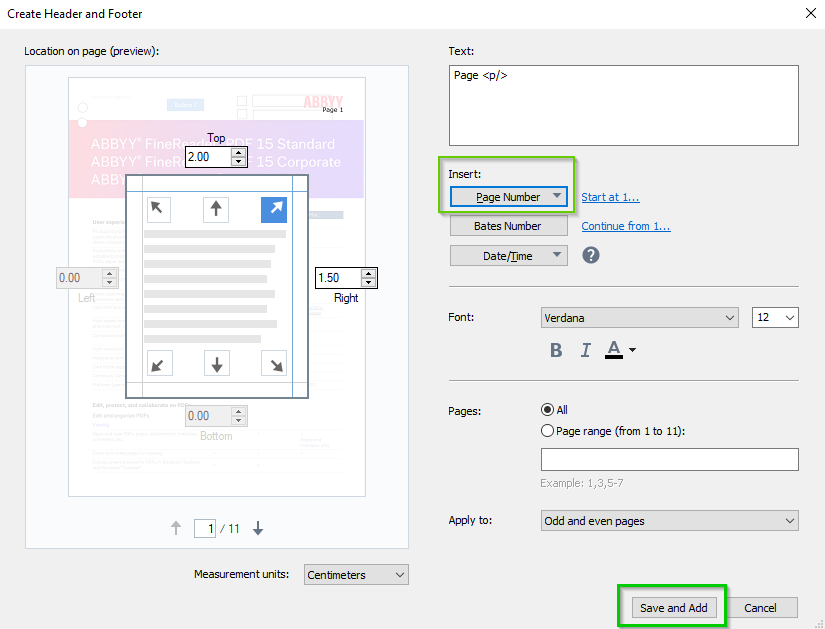
To add page numbers, please do the following:
- Open the document in FineReader PDF Editor.
- Click the
 button > choose Page 1 on the PDF toolbar:
- Save changes by clicking the Save and Add button in the right bottom corner:
Additional information
More information on how to set the location of the page number, its size, font, and other features, you can find in our User's Guide article: Adding headers and footers.