
Hello,
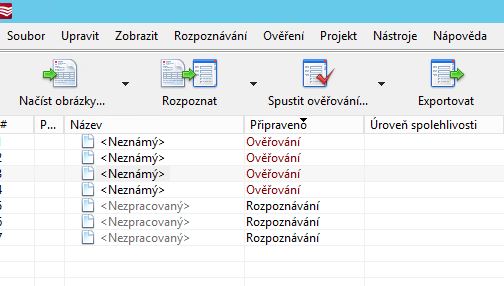
I'm struggling with document definition set by folders where printer save documents. I need to set document definition by that folders (for example invoice is in folder Invoices). My first thought was setting up batch for every document definition but I always end with "Unknown" instead. It's OK when it will not recognize text or barcode sometimes because in that case operator will fill it manually. Thank you so much for answer.
EDIT: I read article about it (https://knowledgebase.abbyy.com/article/1238) and do it like that but I ended with same results.. I still need to match document type manually in the batch (because of unkown) and after I match document to the document definition it works.
Comments
3 comments
Hello,
Could you please clarify your scenario? Do you want to use the restricted set of Document Definitions for documents, based on the folder they are put into?
Kinda, yes. I know my document definition before it's recognized and I need to set that document definition for every new document in my batch even if it's not look like my document definition because my operator fill "boxes for recognized text" manually in that case.
Using script before imposing the definition
Matching.DefinitionsList = "You definition";
Matching.ForceMatch = true;
Please sign in to leave a comment.