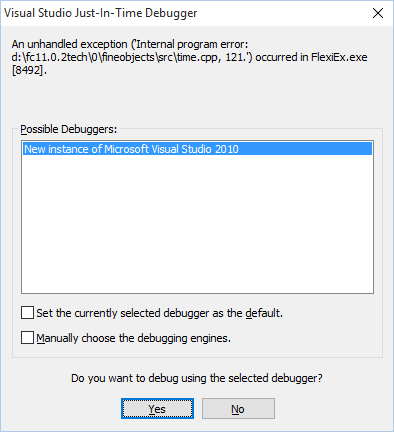
When recognizing documents (Flexicapture R11.3 Patch 5 Stand Alone). Not all documents araise the error. Haven't figure out what raises the error. I guess i has to do with the recognition of a date field.
You are right. The whole point is date type field.
Please try one of the next workarounds: If you use flexible document definition in your project, just change date interval borders from one position to any other in the element of Date type. In case of using fixed document definition, you can try to change time zone.
Thanks for your support Anastasiya. Nice to know there's someoney trying to help. I'm using flexible document definition interval validation is not checked in Flexicapture's field definition. Do you mean i should be changing date interval borders somewhere else?
You should to change Date interval in the FlexiLayout Studio > FlexiLayout window > properties of the Date type element > Date tab > Date interval group.

Comments
5 comments
Please try one of the next workarounds:
If you use flexible document definition in your project, just change date interval borders from one position to any other in the element of Date type.
In case of using fixed document definition, you can try to change time zone.
You should to change Date interval in the FlexiLayout Studio > FlexiLayout window > properties of the Date type element > Date tab > Date interval group.
Please see attached file.
Please sign in to leave a comment.