Hi,
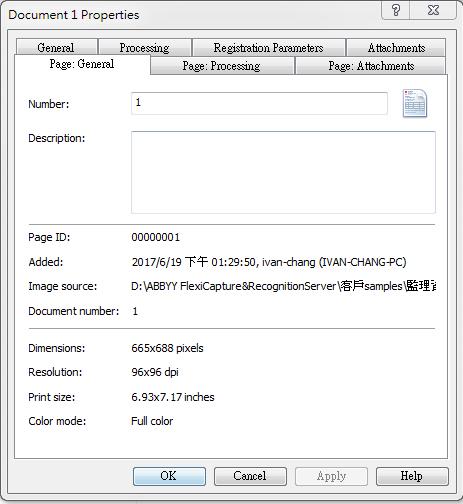
In the document properties, we can see the resolution like 96*96 dpi/200*200 dpi/300*300 dpi and so on.
How to get this value?(I want to add it into a text field.)
Any suggestion is appreciated. Thanks in advance
-Ivan

Hi,
In the document properties, we can see the resolution like 96*96 dpi/200*200 dpi/300*300 dpi and so on.
How to get this value?(I want to add it into a text field.)
Any suggestion is appreciated. Thanks in advance
-Ivan
0 out of 0 found this helpful
Comments
3 comments
Hello,
You may use the XResolution and YResolution properties of the IPictureObject: Using scripts in ABBYY FlexiCapture > Scripts for customizing processing stages > Objects > IPictureObject
Ekaterina, Hello.
Could you show an example of this script and where it should be written?
Hello,
Please see the sample:
//We assume that all document's pages have the same resolution
//so we use the first page's (Document.Pages[0]) resolution
string xResolution = Context.Document.Pages[0].Picture.XResolution.ToString();
string yResolution = Context.Document.Pages[0].Picture.YResolution.ToString();
Context.Field("Resolution").Text = string.Format("XResolution = {0}; YResolution = {1};", xResolution, yResolution);
Please sign in to leave a comment.