
Hi,
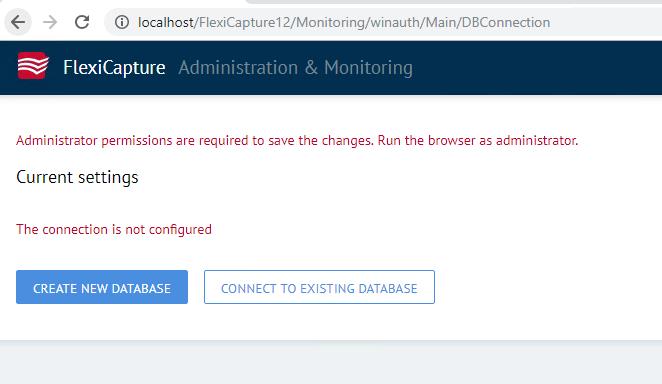
Does anyone had the same while installing? I just installed the servers and when I see the 'administration and Monitoring console' . There I get the option to connect to 'database' but still the entire menu is missing from the left side. I just have a screen that tell me to connect to the db. Also displaying the error related to the administrator privelages
Comments
1 comment
Hi,
First right click on Administration and monitoring console and choose "Run as administrator".
ABBYY relies on its own database, so you need to create new database first.
After the database is successfully created, you will be redirected to the login page, where you will login as administrator user, and afterwards you will see the menu.
Best regards,
Vladimir
Please sign in to leave a comment.