
Hi,
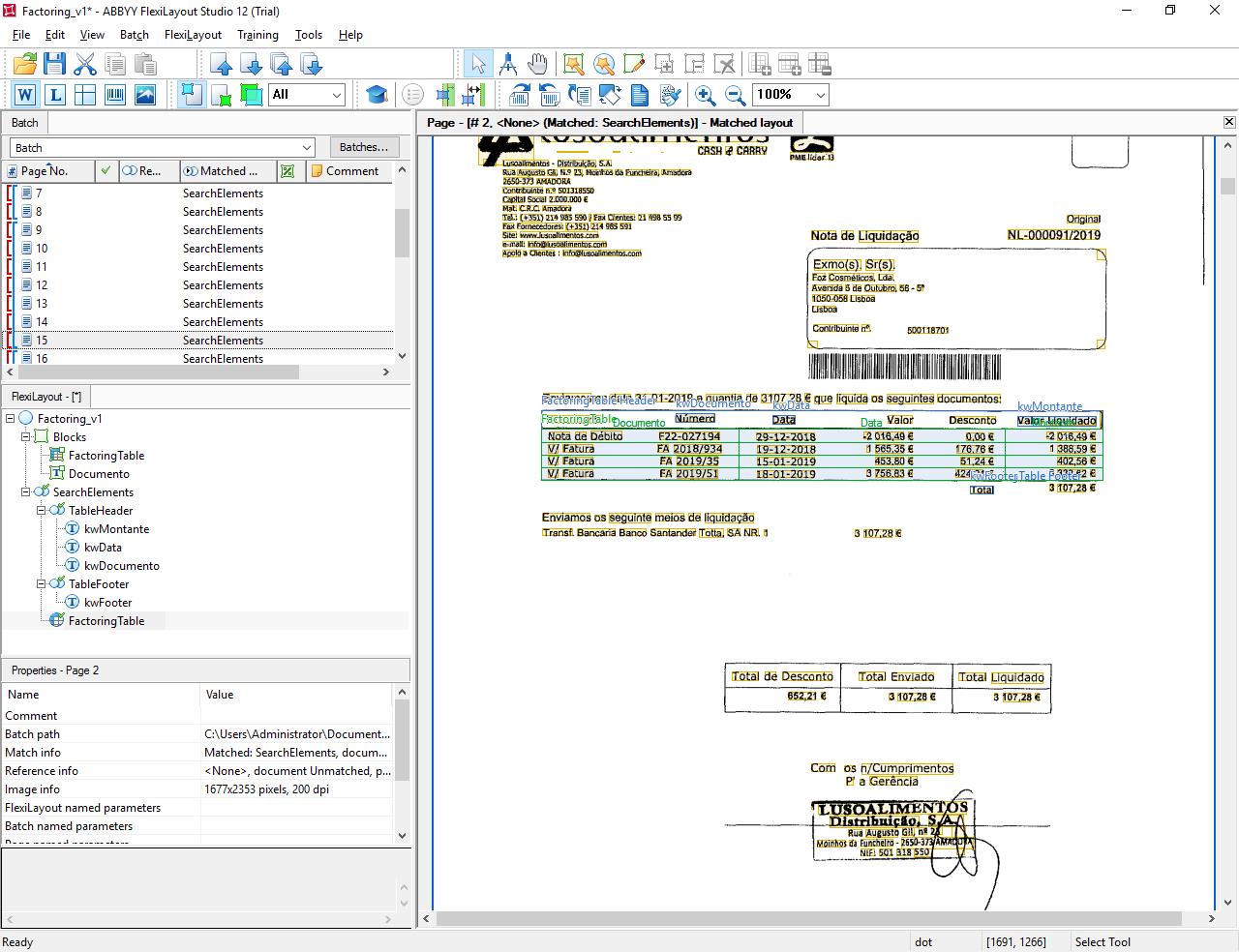
I have a set of documents which are very different from each other and all have a table as main component which I want to extract. The columns contained in this table vary from document to document, however 3 of these columns appear in all of them and these are the ones I want to extract. I am able to find the headers for these columns correctly using static text element. I am also able to define the table header and footer. However, when I extract these columns they get automatically spread laterally taking content from other cells (please check the attached screenshot). I would like to extract ONLY the three columns I defined...
How could I do this?
I am using ABBYY FlexiCapture 12 Distributed.
Best regards,
Rodrigo Carvalho
Comments
3 comments
Hi Rodrigo,
From my knowledge, I guess you can achieve it, only if there's a separator between the columns.
But if you're no way to go, you can try(I'm not sure) specifying the data type for each columns.
From the screenshot you shared, I believe you can specify a date field, a currency field, and hopefully a Regex should do for the other column.
I hope that helps.
Hi Mohammed,![]()
Thanks for your suggestions, but the problem still persists.
The separator is not an option, I guess - I've tried now with another example which has separators but still does the same thing of extending the columns.
The regex also don't work completely - if I only insert Regex for the date column then it restricts that column correctly, but extends the other columns. When I add the regex for the "Montante" as well, it goes back to spreading the date column incorrectly.
:(
Hello,
Please use ExactColumnBorders method: http://help.abbyy.com/en-us/flexicapture/12/flexilayout_studio/table_language
Also you may see this topic: http://www.capturedocs.com/thread/columns-not-capturing-in-layout/
Please sign in to leave a comment.