
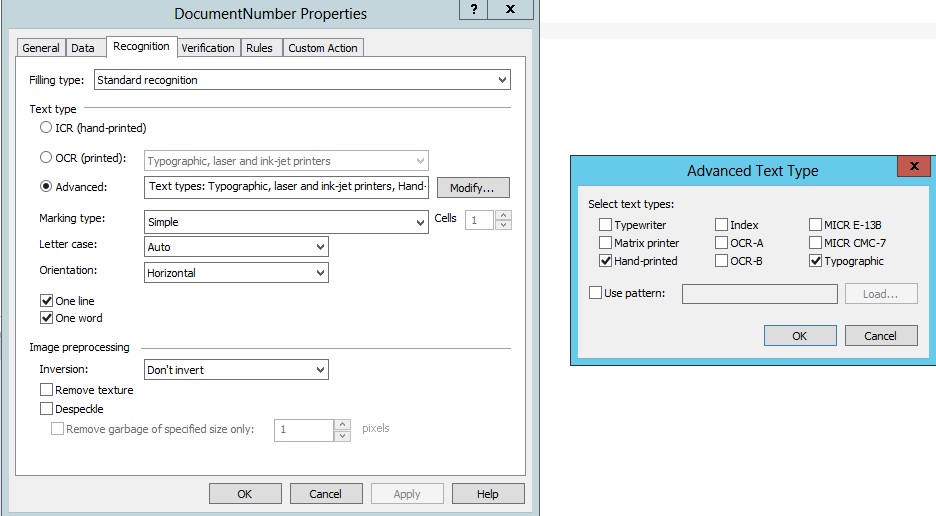
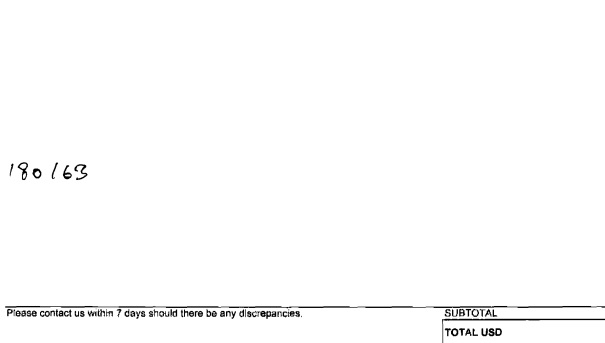
Hi, we are currently capturing a document number (see its properties in Document_Number_Properties.jpg), which is handwritten and always located in the same location in middle of an invoice (see Document_Number_Location.jpg).
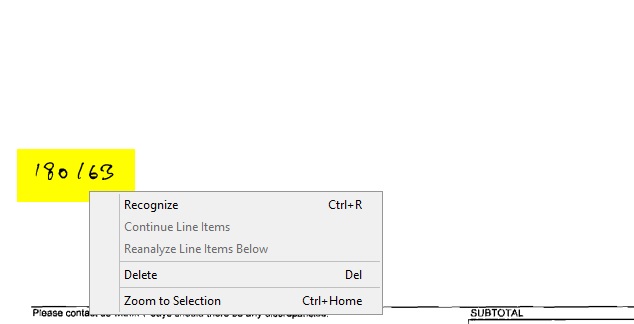
Currently, uses need to manually draw a zone and then right-click the zone and manually click on Recognize (see
Document_Number_Highlighted.jpg).
Can you please assist us on how to have ABBYY automatically look in a particular zone and interpret the document number. (We are using ABBYY Flexicapture for Invoices 11 Version 11.0.6.2822).
Document_Number_Highlighted
Attached
Comments
1 comment
Hello,
Please see the "Creating a Document Definition" topic in the FlexiCapture 11 Developer's Help
Are you using flexible section or fixed form to match your document?
In the fixed form that has the anchors (black squares) and reliable anchor text, the region for the custom field can be easily selected in the Document Definition Editor (you should have a non-filled form sample to store it in the Document Definition and to compare it with all filled documents)
In the flexible section the position of a field can be calculated based on the reliable static text element (see in the FLS Help: FlexiLayout language > Advanced pre-search functions > Specifying the search area > Functions which limit the search area ) or you may also use the page proportions like PageRect.Height or Width to set offsets.
Don't forget to use ICR (handprinted text) in the field Recognition settings in the Document Definition Editor, instead of the default OCR (laser, ink-jet printer)
If you need more detailed assistance, please contact your regional support and sent them samples of your documents and your FLS/FC projects.
Please sign in to leave a comment.