Hi everyone,
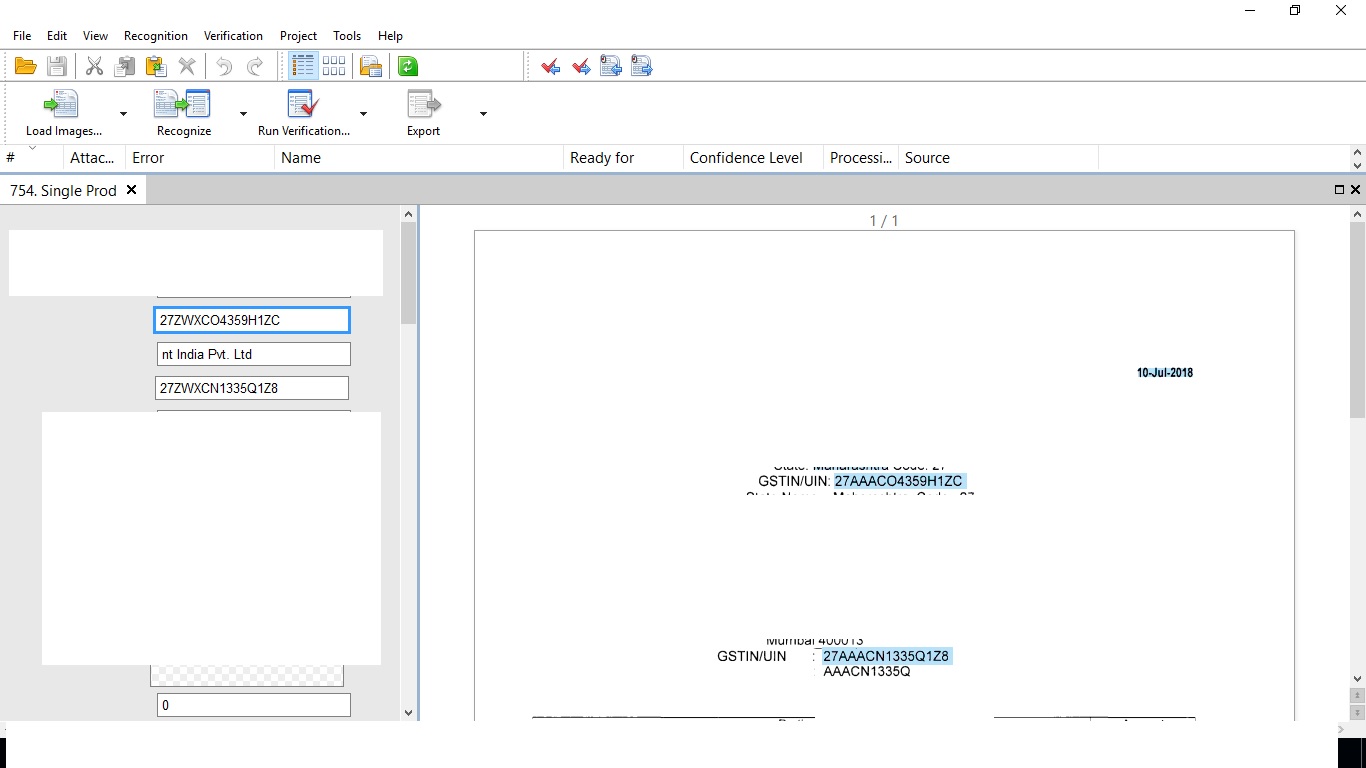
I am getting error in operator station. I have defined to select some string contain "AAA" in it. so instead of capturing "AAA" its capturing some random character every time.
below is the attached screenshot of it.
thanks!

Hi everyone,
I am getting error in operator station. I have defined to select some string contain "AAA" in it. so instead of capturing "AAA" its capturing some random character every time.
below is the attached screenshot of it.
thanks!
0 out of 0 found this helpful
Comments
2 comments
In Recognition Properties for that field change the Text Type to settings and see which settings work best for that font. I seem to get the best results with the following settings.
Hand-printed, OCR-B, Typographic
Thanks Collins :)
That work in this case.
I changed the setting as you said for that field and it is working well.
Its not working same with all. Do you know any other method to fix this problem.
Please sign in to leave a comment.