Hi,
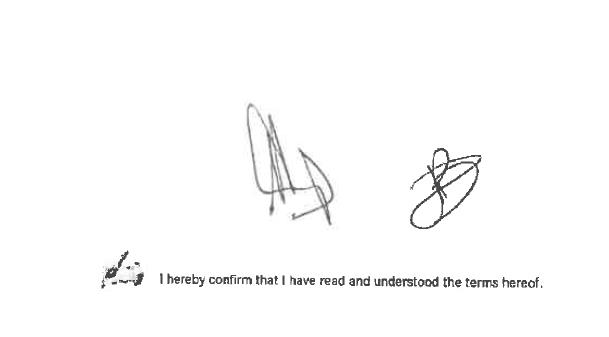
I have a document where they sign at the bottom right of the last page.
2-3 people can sign this document.
Is it possible to count the signatures? Coz my requirement is at least 2 signatures must be present (see attached)

Hi,
I have a document where they sign at the bottom right of the last page.
2-3 people can sign this document.
Is it possible to count the signatures? Coz my requirement is at least 2 signatures must be present (see attached)
0 out of 0 found this helpful
Comments
5 comments
I am trying this script now ->
Context.Field("Signature").Regions[0].Picture.AnalyzePageObjects(null).TextObjectsCount
and it is returning only 1
Hello Melisa,
is the document definition based on your own flexilayout? If not, maybe it would be easier to add your own flexilayout and search for the signature field yourself using a repeating group and white gaps.
Greetings
Reinhard
Hi Reinhard,
Yes I created my own flexilayout :)
Wow I have not tried repeating group before! Thanks! I will try now
Cheers,
Melisa
Thanks Reinhard!
I added a repeating group on my last page, I added white gap and it works.
Hello Melisa,
I'm glad I could give you an idea.
Cheers
Reinhard
Please sign in to leave a comment.