
Hi ,
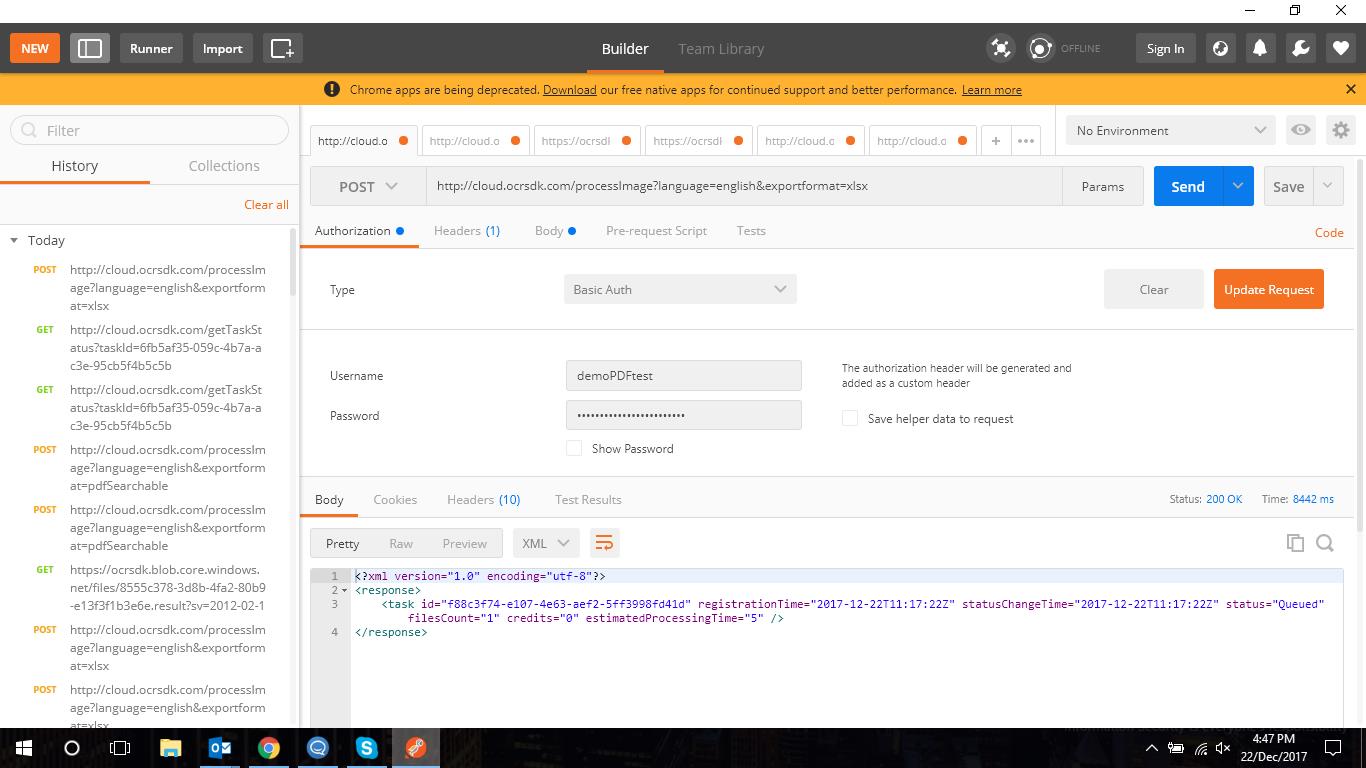
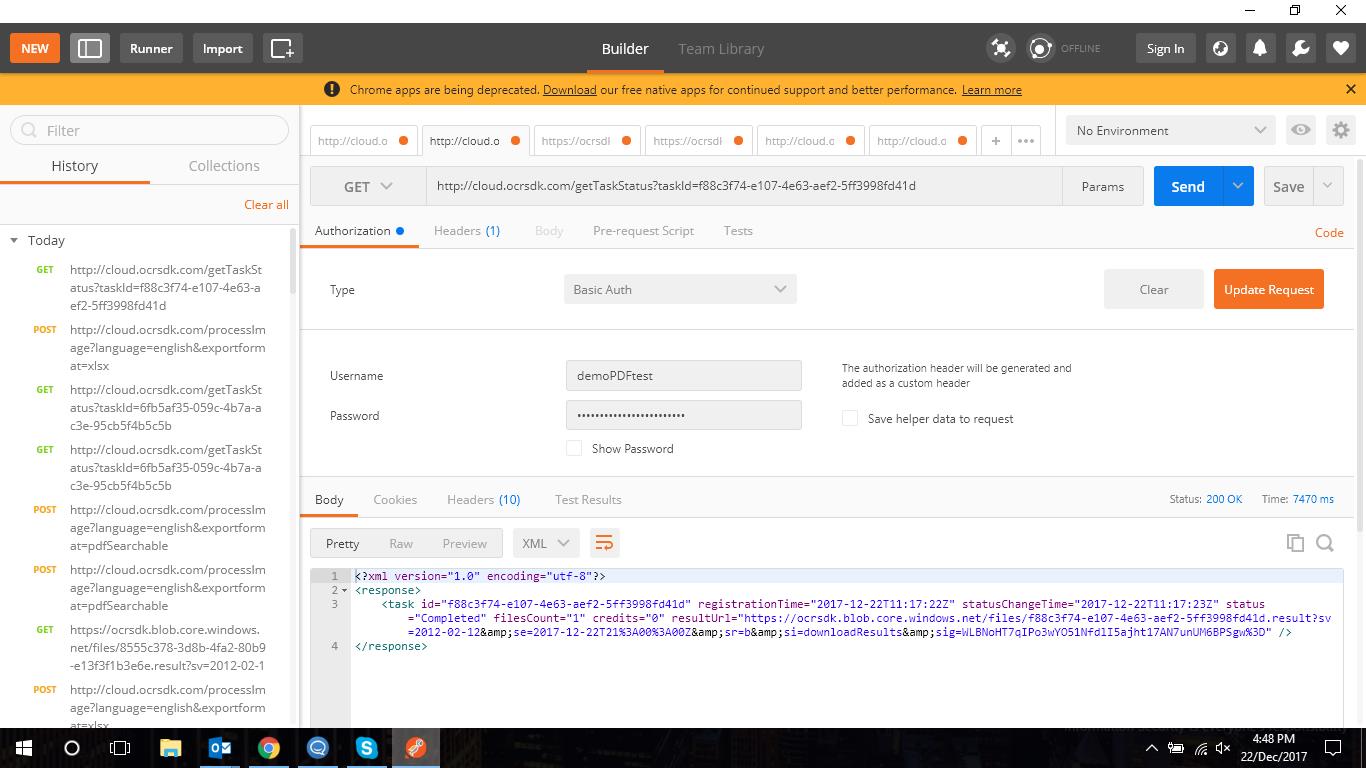
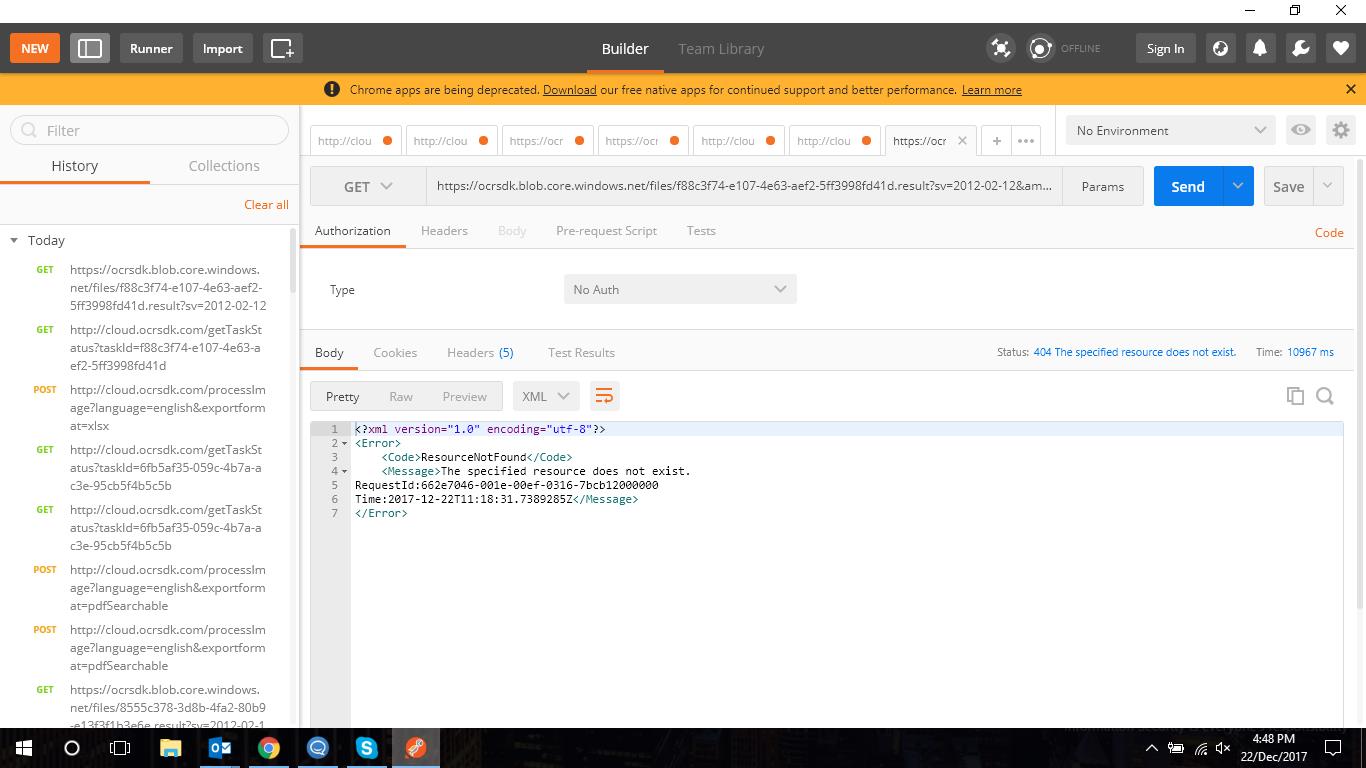
I am using ABBYY API to process a scanned document and convert it to excel(.xlsx) format but I am facing issues while using the API. Please see the attached documents for further clarification.I am testing the API on Postman.
Can you please check and verify whether I have followed the correct steps. I am following this url: https://ocrsdk.com/documentation/quick-start/work/
Comments
4 comments
When you download the output, you should use the link from the resultUrl attribute of the corresponding service response, but note that the resultUrl value includes also the characters which are the result of the screening (for example, '"&") and they should be replaced. For example, the link can look as:
https://ocrsdk.blob.core.windows.net/files/bef2b8ee-e77a-4454-b34c-62fd08fdc803.result?sv=2012-02-12&se=2017-06-07T20%3A00%3A00Z&sr=b&si=downloadResults&sig=9mTMdFTxVAGSuIcYuaz12L1c6n7rWTJA0rRRGNIp6xM%3D
Hi,
Thanks for replying back.I tried as you suggested and get the following result..jpg?width=690&upscale=false)
I am not sure what exactly the issue is, because the screenshots are unreadable. Anyway, please check also the following possible reasons of the issue:
1. When you are requesting the result (i.e. the URL like https://ocrsdk.blob.core.windows.net/...), it should not have the Authorization header. If they are included in the request, Azure Storage returns the error.
2. You should not decode the special characters as Plus sign, Slash, Equil sign, etc. These characters are reserved characters and they must be percent-encoded.
Thanks a lot. Your suggestions are very well explanatory and I am able to run the API and download the result successfully.
Please sign in to leave a comment.