
Hi,
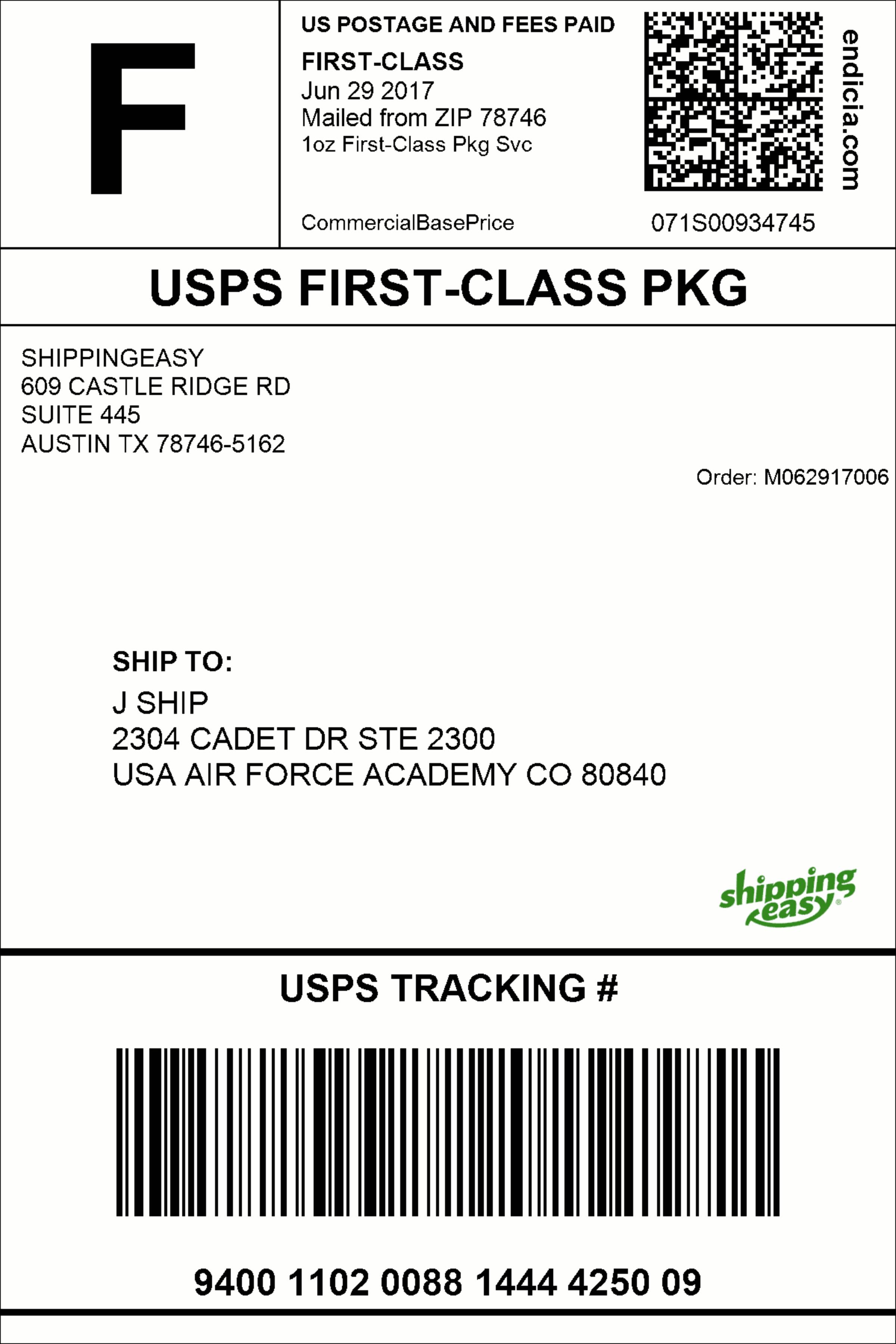
I want to create an application which can scan the delivery package label (sample label attached below).
It should scan the label like your business card scanner does. Presently I tried with text grabber and it is only capturing all the text on the label. I should get the parsed text like in the business card. If I get the parsed text with keys and values, I can prepopulate on the form directly and send to my server. I'm expecting the name of the package, category, vendor etc..from the label.
Please suggest me how can I do this. Any sample code is appreciated.
Comments
1 comment
Hello!
ABBYY Business Card Reader is a specialized application designed specifically to process business cards. CloudOCR SDK also provides a special method for processing business cards - processBusinessCard - but it is only applicable to business cards. However, you could do full-text processing and try to obtain all the required information as text and then classify the fields on your side.
If you are processing well-structured documents with fixed layout (i.e. positions of fields do not change from one document to another), it is better practice to use the processFields method. The method starts the processing task with the parameters of processing described in a special XML file. This XML file should be transmitted in the request body. You can use the XSD schema of the XML file to create the file with necessary settings. Please see also the description of the tags and several examples of XML files with settings in XML Parameters of Field Recognition.
Please note that using the processFields method you should specify coordinates of each field should be processed. Pay your attention that the coordinates of each field should be specified relative to the left top corner of the image in the following order: left, top, right, bottom. It means the following:
left – x coordinate of the top pixel of the field,
top - y coordinate of the top pixel of the field,
right - x coordinate of the bottom pixel of the field,
bottom - y coordinate of the bottom pixel of the field.
The left, top, right and bottom coordinates are rectangle border locations in pixel. For example, on the picture below the coordinate of top left corner of the image block is (20, 143), which means that the left coordinate of the image is 20, the top coordinate is 143.
You can find some our standard code samples demonstrating implementation of some general scenarios on the Code Samples web page.
Please sign in to leave a comment.