
Hi,
I am using your FineReaderEngine 11 to extract data from a scanned document and export it to a spreadsheet. The data is in the form of a grid but without column lines. I am having trouble with the format because the first 2 columns from the pdf get merged into one excel column and the last 2 columns do not appear next to other columns but under it. I have attached screen shots of the input and the output. Can you please tell me how to correct this

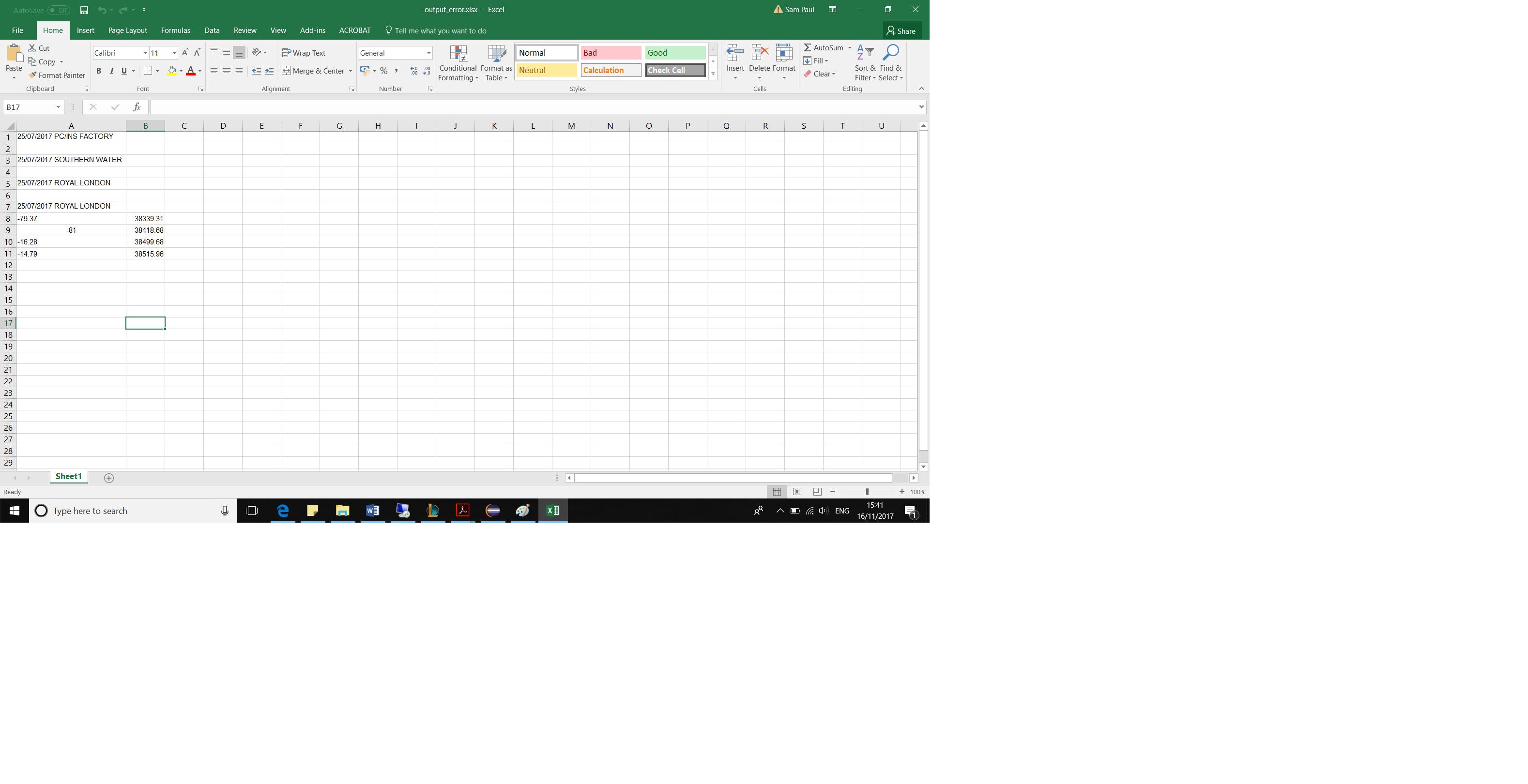
Comments
4 comments
After a bit of tinkering around I found this is because the orientation of the original document was landscape. I used the correctorienation method to convert it to portrait and it sort of worked, in the sense it rotated the pages. I ran the conversion and the data was still extracted wrong. Then I took a print out of the pages in portrait mode, rescanned the documents and ran the conversion. It extracted the data perfectly; the columns were correctly side by side.
Is this page orientation thing a problem with the FineReaderEngine 11 ?
If there is any other way to solve this problem please let me know
Hi!
To better assist you, please provide us with the following additional information:
1. The FineReader Engine build you use
2. Please specify what recognition and export settings you use.
3. Please attach an Engine log, generated by your program. Such log can be obtained by calling StartLogging() method of the Engine object after it is initialized.
1. I used the FineReaderEngine11
2. The recognition and export setting is DocumentConversion_Accuracy
3. I have attached 3 log files. The first one (failedlandscape_Input.log) is the log for the landscape version of the document (i.e. the original orientation). The second one (failedPortrait_Input.log) is when I used a third party tool to convert it from landscape to portrait and the third log (RescannedPortrait.log) is when I rescanned the portrait version of the document.
The table from the document has hidden separators so it was not found entirely in the landscape orientation in this case, this is the main reason for the incorrect location of the data in the output file.
We tried to process the table using the following parameters:
PageAnalysisParams::AggressiveTableDetection(true);
TableAnalysisParams::SingleLinePerCell(true);
and export with
XLExportParams::LayoutRetentionMode(XLLRM_ExactLines);
the output result looks better but not perfect, please look at the screenshot below:
The another workaround is creating a table block over the corresponding region manually, analyzing it with the AnalyzeTable method and then recognizing the whole page. Please refer to FREngine Help, section Guided Tour > Advanced Techniques > Working with Layout and Blocks for more details about adding blocks to the layout.
Please sign in to leave a comment.