
Hi there,
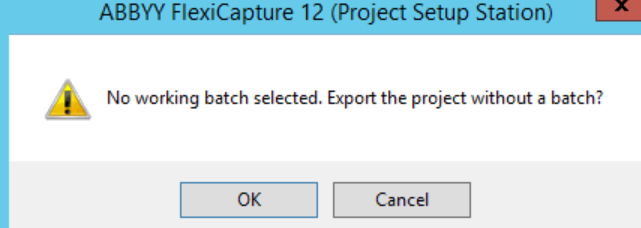
i am trying to export the project from project setup station, during the export i would like to include my trained batches as well. But when i do Project - >Export Project i am getting the below popup.
Can you please help me from where i should select all the batches before exporting the project?
Thanks
Comments
2 comments
Hi Avinash,
The Field extraction training batches will be exported. You can either select a working batch to be exported (only 1 can be exported) or export with no working batches.
I find this handy when sending queries to ABBYY Support as I can include the problematic batch in the project.
Once the export is done, just double check the training batches are all there - a couple of times I have had an export fail to include them. When that has happened I have just run it again and it has worked.
Hope this helps.
Anne Howie : Thanks for your quick response.
Yes i exported them and i can see all my Field extraction training batches came in the exported project.
I hope only the training batches required when I am using this exported project during my production deployment. No need to worry about the working batches as I can see only the batches going to verification station are falling under working batches.
Please correct if I am wrong .
Once aging thank you !
Please sign in to leave a comment.