I've cleaned out the various folders,The windows registry is clean.But it still says that a previous version has been installed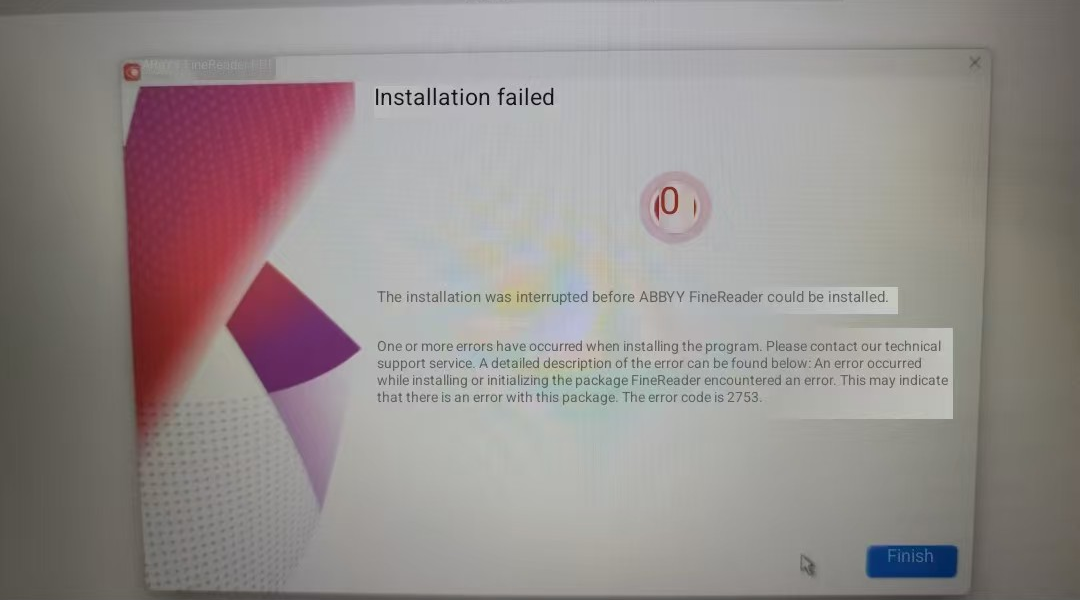

How to uninstall abbyy completely?

この記事は役に立ちましたか?
0人中0人がこの記事が役に立ったと言っています
I've cleaned out the various folders,The windows registry is clean.But it still says that a previous version has been installed
0人中0人がこの記事が役に立ったと言っています
コメント
2件のコメント
is ABBYY_FineReader_PDF_16
Hello Cristophe,
"Internal Error 2753" is related to a Windows installer problem. If this error appears on a Windows operating system, the software will not be installed.
The next error related the the update can happen if FineReader was not uninstalled using the standard Windows method. Based on this comment we created a support ticket and we are await your reply. As a possible solution, please make sure that you have all Windows updates installed and try to use the recommendations from the article: The installation was interrupted before ABBYY FineReader could be installed. An error occurred while acquiring or verifying the package: FineReader.
サインインしてコメントを残してください。