
I am trying to automate image recognition process from one hot folder on Abbyy FlexiCapture for Invoices to take image every 10 seconds into recognition. I have Trial licence for now.
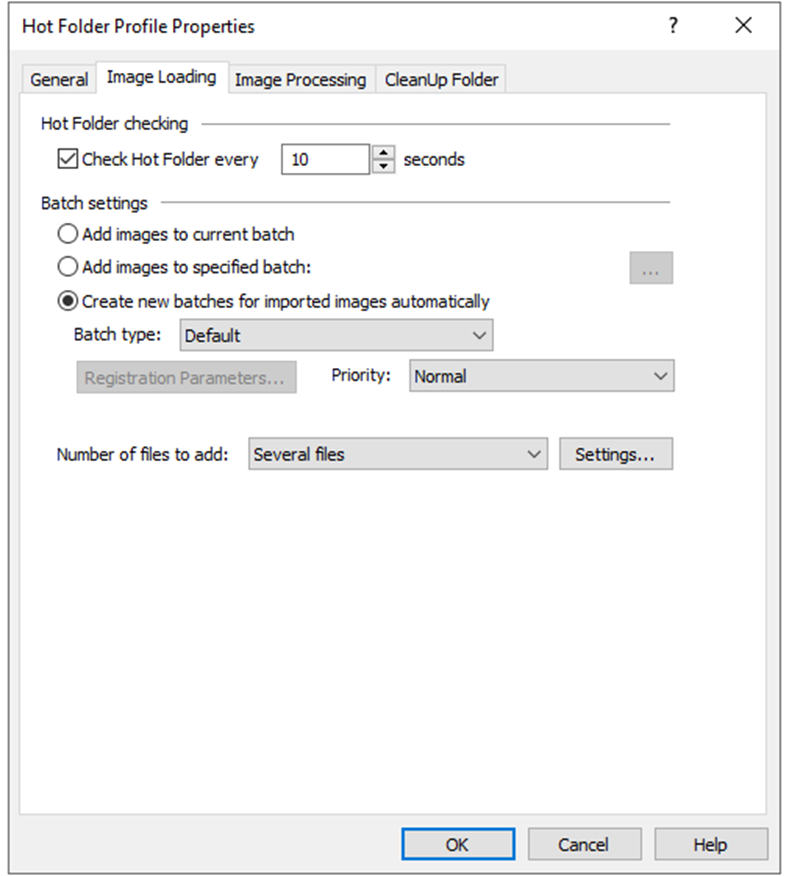
I upload project to Server and after that configure Image import profile to load images into project. On tab Image Loading I define Check Hot Folder every 10 seconds
and choose Create new batches for imported images automatically on Batch setting as you can see on added picture.
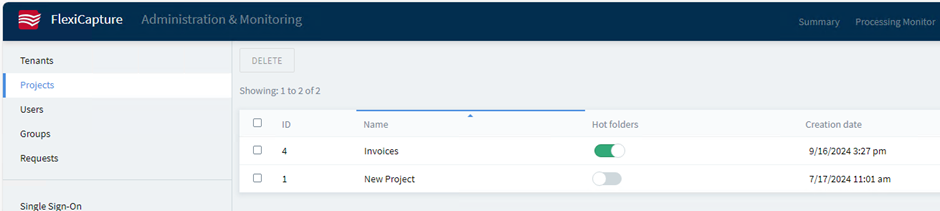
I leave other settings on default. On server settings I click on project and set Hot folders.
I put one pdf file into hot folder in wait for 30 seconds and nothing happened. This automation looks not working, can anybody help me, what have I forgot?
I have also tried this on local project in Project setup station and also nothing happened.
コメント
1件のコメント
What are the settings on the other tabs? The system should be at least polling every 10 seconds.
You also might need to set up the Processing Server configuration. If you have not open Processing Server and configured the services to run, then tasks will not execute yet.
サインインしてコメントを残してください。