
Hello Everybody
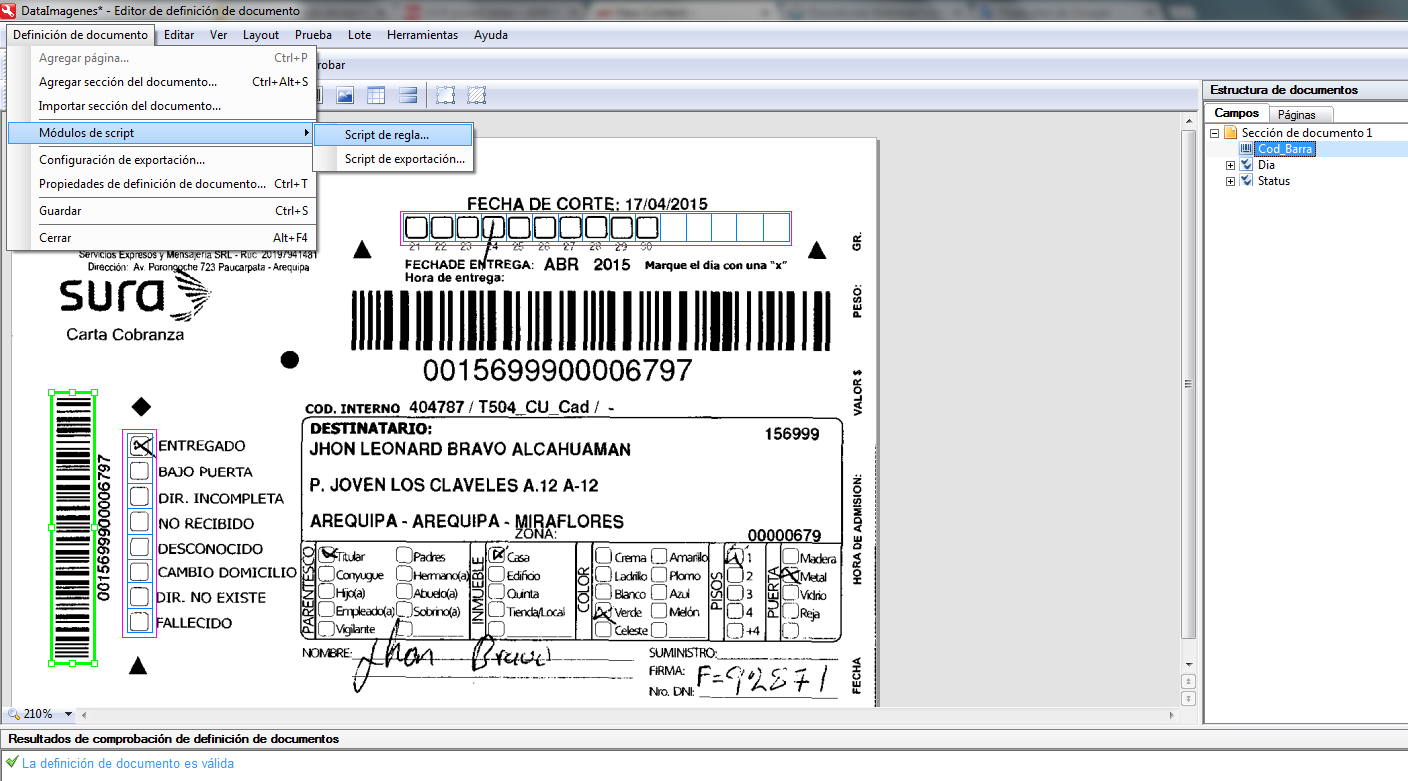
I have a question, I would like to set in the Document Definition a script that allow me the following:
- Connect to a Oracle Database
- Consult a table of the DB and compare a field with a field of my Document Definition that should have the same data (I.E: The DB table has the Barcode and the document will extract the Barcode to compare if is the same)
- If the field is equal as in the database, when we export all the data, these will be added to the other fields in the table of the DB.
- If not, the script should replace the extract field of the document definition with the data of the table from the DB.
Many thanks for your kindly help.
My best regards
I have a question, I would like to set in the Document Definition a script that allow me the following:
- Connect to a Oracle Database
- Consult a table of the DB and compare a field with a field of my Document Definition that should have the same data (I.E: The DB table has the Barcode and the document will extract the Barcode to compare if is the same)
- If the field is equal as in the database, when we export all the data, these will be added to the other fields in the table of the DB.
- If not, the script should replace the extract field of the document definition with the data of the table from the DB.
Many thanks for your kindly help.
My best regards
コメント
1件のコメント
From what you described in the first part of your question (compare field with some data in the DB and if they are equal, then export other values) it seems that adding Database Check rule in the field properties and then export other fields to the corresponding database table should fulfill your requirements. Please see FC Help, section "Program settings > Document Definitions > Rule validation> Database check" to get more details on how DB lookup can be set up in FC11.
Unfortunately it is not clear enough what should be done if no value corresponding to the current field is found in the database. Could you please describe in more details how exactly the recognized field should be replaced? Should other fields also be taken from the DB? Say, the recognized barcode value is "12345", and there is no such value in the DB (so the Database check rule reports an error and no export is performed). What data exactly should be taken from the DB and what happens with the current document next?
Thank you in advance for your clarifications.
サインインしてコメントを残してください。