
Hello,
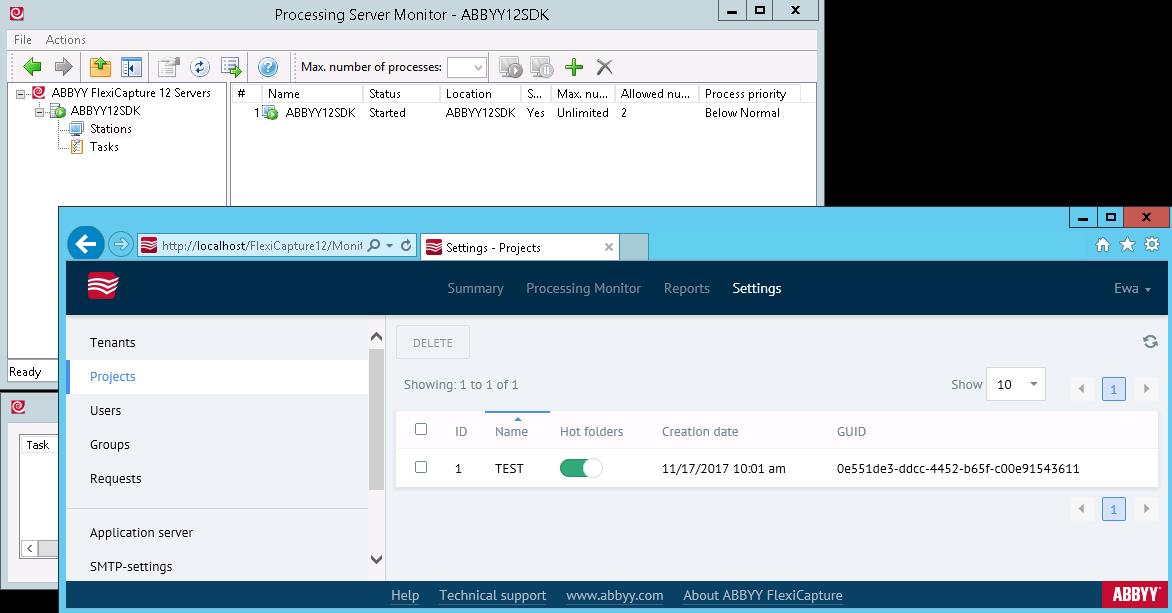
How can I enable Hot Folder on a Processing Server Monitor? I've already enabled it in my project in the Admin istration and Monitoring Console. I also created a Image Import Profile into Project Setup Station. My question came up because, despite the fact that Hot Folder has images inside, Batch on Project Setup Station is empty. Application Server is running. Station is running. DataBase is created.
コメント
9件のコメント
Hi Ewa,
In FC12 there is no more Hot Folder on Processing Server. It is enough to share folder, enable hot folder feature in Admin console and create Image Import profile...
You will have to check if your account has privileges on a shared folder where images are stored at. Also, take a look at Tasks on Processing Server, there you would see issues if there are some...
Best regards,
Vladimir
Thanks for answer, but what do you mean 'to share folder'? Is it a sharing in windows or a kide of sharing in FC?
HI Ewa,
You're welcome. I mean network shared folder, or a folder on server on which FC is installed. Just to add, user must have read/write permissions for that folder.
Did you solve it by now?
Best regards,
Vladimir
I shared my Hot folder in Windows system and changed path in 'Image Import Profile'. I put an image into shared Hot folder, but Project Setup Station don't import it for recognition. There are not tasks on Processing Server. Why?
Hi Ewa,
Everything is fine, only processing server is stopped
Best regards,
Vladimir
No, Processing Server is running. It must stoped temporary just when I took the screen
OK, thank you for clarification I have successfully reproduce your issue. It was working on my machine before I change settings in "Image Loading -> Batch settings". You set to "Add images to specified batch", I did the same and docs were not imported. Changed it back to "Create new batches..." and it worked again.
I really don't know what is the issue with this setting, but you can change it like I did if you don't need documents to be loaded into same batch.
Best regards,
Vladimir
IT WORKS !! I changed this option and it really run. Thank You very much.
Hi Ewa,
You're welcome. I'm glad I was able to help.
Best regards,
Vladimir
サインインしてコメントを残してください。