
Hi
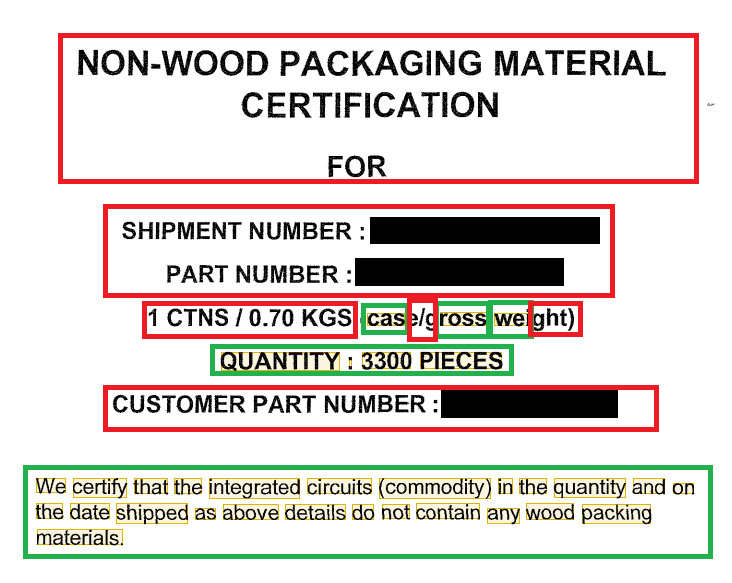
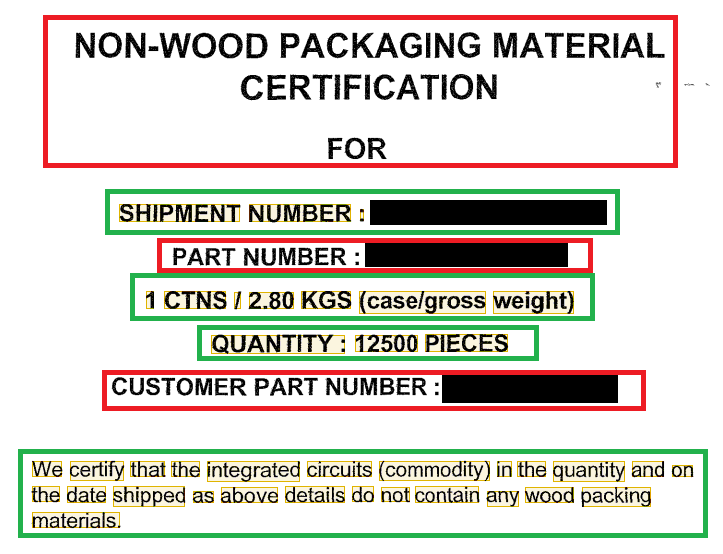
As following enclosed images, it's a fragment of document.
It's sorry that the black region is secrecy information in advance. The green borders can be captured, but red borders can't.
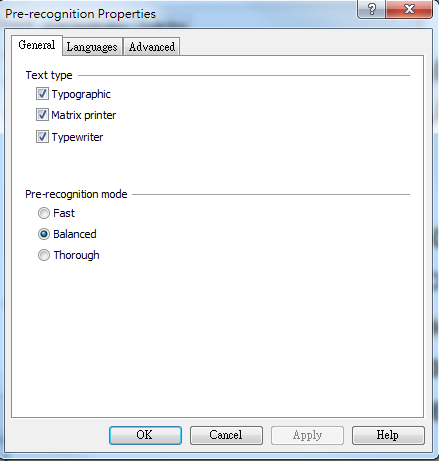
The 3rd image is my setting of properties. How can I capture the large characters in documents successfully. Thanks.
As following enclosed images, it's a fragment of document.
It's sorry that the black region is secrecy information in advance. The green borders can be captured, but red borders can't.
The 3rd image is my setting of properties. How can I capture the large characters in documents successfully. Thanks.
コメント
7件のコメント
Unfortunately it is hard to diagnose the issue without seeing the original images. I can only assume that there is a wrong resolution value in the imported documents so FLS considers the text too large and thus cannot recognize it properly.
As a variant you could try checking the resolution of each problem image (right-click. Properties..., Image tab), and if some suspicious value appears there, then try overwriting it in external image editor and re-import into FLS again. Alternatively, you can leave only Typographic text type and set Thorough recognition mode and see whether this helps.
If none of these hints resolves the issue, then please share us the original document files (with sensitive information hidden), we'll try to assist you.
First, because I need to use this samples as one of classes(maybe more than 20 classes) to classify in DT mode. I want to use title as a static word.
The samples have some noise in advance, so I use Despeckle button before pre-recognize.Thanks for your help.
The resolution is indeed wrong in your documents - it is 96 dpi (and FLS reports it during import), so the page physical size is approx. 3 times larger than it should be and the large text is in fact huge. If you overwrite the resolution to 300 dpi (I did this in IrfanView) and re-import your documents, everything will be recognized well, please see attach.
Hope this helps.
The images are muti-page image with tiff format originally. I use ACDSee to separate into single image and re-save.
Then, I use Paint to hidden sensitive information. Maybe it reduce dpi from 200 to 96 in process.
Let me make a new image sample for you later.
There is a new sample image as attachments.
I could pre-recognize the large text only with the special setting that allows FC to search objects on the page more accurately, please see screenshot. As far as I know this option is available since FC 11 R4 (build 11.0.3.1765).
Hope this helps.
It can work now! Thanks for your tip.
サインインしてコメントを残してください。