
Hello,
I've been using ABBYY Flexicapture 12 Distributed for a week now, but I can't manage to set the application to check the Hot Folder every X seconds, so instead I go to File->Import Images->Import and the process works fine.
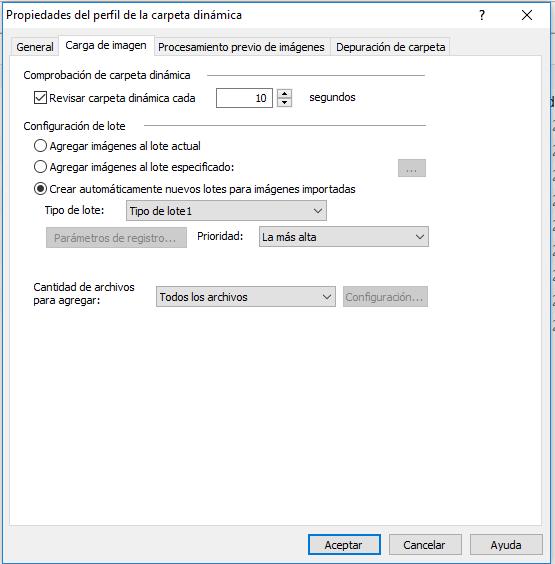
The hot folder is enabled in the web settings and in the Project Setting Station I have the "Check Hot folder every 10 seconds" enabled, but still no luck.
Aside from that, when I use the method of File->Import Images-> Import, the task goes up to Image Recognition, but then I have to manually tell it to export the batch.
Any help is very much appreciated
Thanks
コメント
6件のコメント
Please help!
Make sure that hotfolders are enabled for the project in the admin and monitoring console!
To enable project hotfolders, perform the following steps
* open the admin monitoring console
* Choose 'settings' from the header (to the right of 'Reports')
* Choose 'projects' from the left side of the settings window (below 'Tenants' and above 'Users')
* Find your projects in the main window and make sure the 'hotfolders' slider is green for all projects with active hotfolders (otherwise, click the slider to activate).
_____________________________
If this solves your problem, Please mark this comment as the solution to your problem. Let me know if you need any more help!
Thanks for your response mharper, however the project is already enabled for hotfolder (slider is green).
Best Regards
In that case, is your processing server added to the server tree on the processing server monitor (on the processing server)?
if so, is the Processing Server Monitor (on the processing server) showing that 'Importing images using profile <profile name>' tasks are running?
if the import tasks are running, are they failing (red indicator), cancelled (yellow indicator), or successful (green indicator)?
Thanks for your response mharper,
We checked and the Processing Server Monitor has de following:
1. Under Servers: the main server, status Started.
2. Under Stations, the one I'm using, but status is "Restarting (cannot connect to application server)"
3. Under Tasks, nothing.
The error message in stations has always been there but it doesn't go away even restarting the server, the application or the station itself.
Best Regards
Hello,
Please restart the Processing Station Windows Service (ABBYY.ProcStation.FlexiCapture.12.0) and see if the error persists.
サインインしてコメントを残してください。