
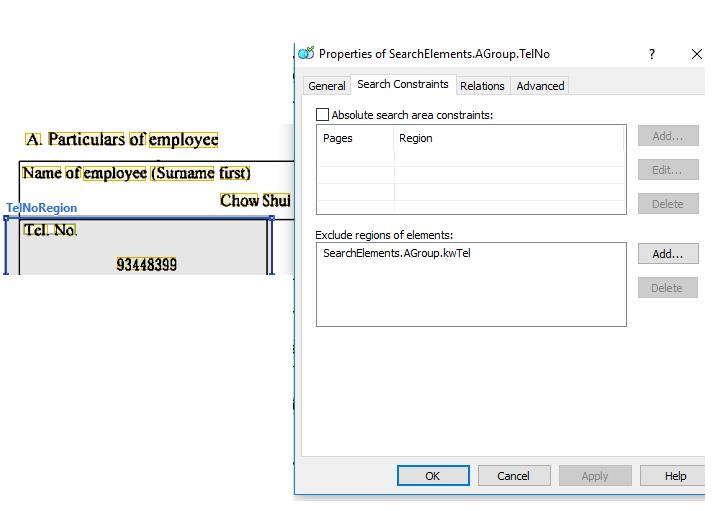
I am working with a printed form and I try to use region to capture the whole block, then use exclude element to exclude the keyword.
Within the FlexiLayout, we can see that the Keyword is excluded from search area.
However, within Flexicapture project, the whole region is still recognized and reture the value (which I want) and the keyword (which should be excluded)
So, is there any method to exclude the element in region?
コメント
4件のコメント
Hello,
Is it possible for you to use this solution: http://www.capturedocs.com/thread/exclude-region-from-each-table-cell/
Yes, I do think that is possible for me (using the first one). But there is still some question. Since in my case, the area I want to exclude is located within the searching region (although it is at upper left, but it is still surrounded by the searching area). It seems that I cannot apply this method directly. (It works only if the excluded region is touching the boundary of the search area. )
So, if I want to exclude the middle element (really with in the center), the only way I can do it, is using the rect array?
Hello,
Please create on the FLS level a block of NonRecognized type and set your keyword region as a source (please see an example - the word "Green" is covered by NonRecognized area and is not shown in text block after Recognition)
Oh, I never realize this block option. Thank you very much !!!
サインインしてコメントを残してください。