
Dear Community,
We are running FlexiCapture to process same documents from different scanning stations (MFPs). Those MFPs scan documents and copy the PDF to the import folder of the recognition server.
Based on the scanning MFP, we assign comments to the batch in order to help identify who has to do the verification for that particular batch (so our intention).
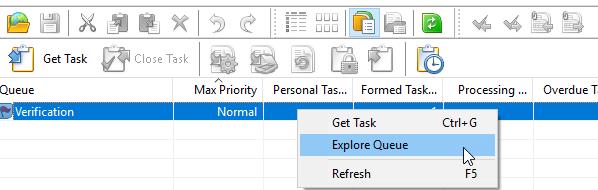
Now when we use Verification Station, there is a right-click-option Explore Queues where I can see all the pending batches. What we want to do is to assign individual users their specific batches (determined through a script when running the verification). Even better would be, if we can show them an overview of all their pending batches (like the Explore Queues functionality).
Is there a way to achieve this? Or open Verification Station directly with the "Explore Queues" active window?
Thanks for your help!
Regards,
Michaels
コメント
1件のコメント
Hello,
You may create the personal verification stage for each user (if the amount of users is small). In this stage users may see all batches.
サインインしてコメントを残してください。