
While creating auto import profile at first I selected Hot folder option and browsed and selected the import folder.
Then I given next, selected the check hot folder option and given the time duration.
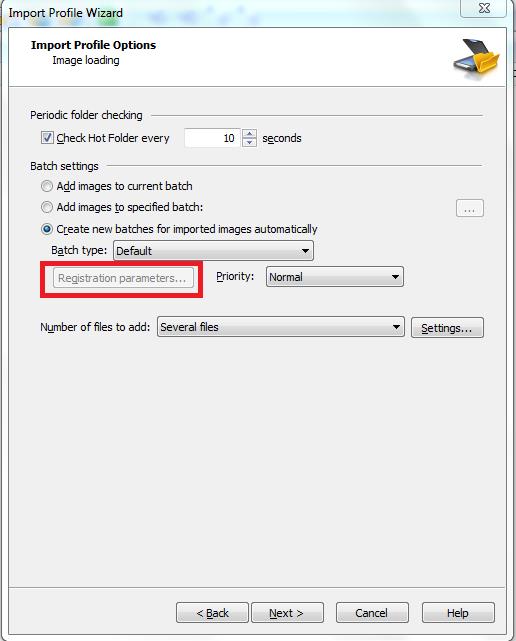
Then I selected the third option from Batch setting (create new batch for imported image automatically)
"Registration Parameter" option was disable. I tried with all type of setting but still the "Registration Parameter" option was disable.
Please guide me how to make the option "Registration Parameter" enable.
コメント
1件のコメント
Hello,
This option is used for a batch registration parameters. So to use this option the non-default batch type, which contains a registration parameter, should be created.
サインインしてコメントを残してください。