
Hello,
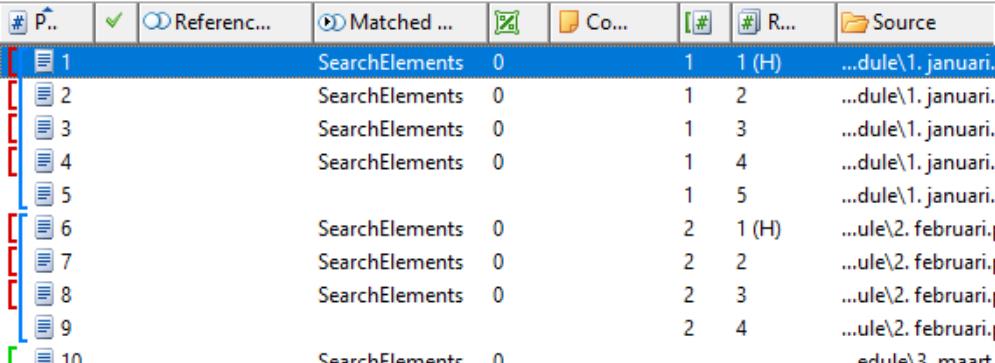
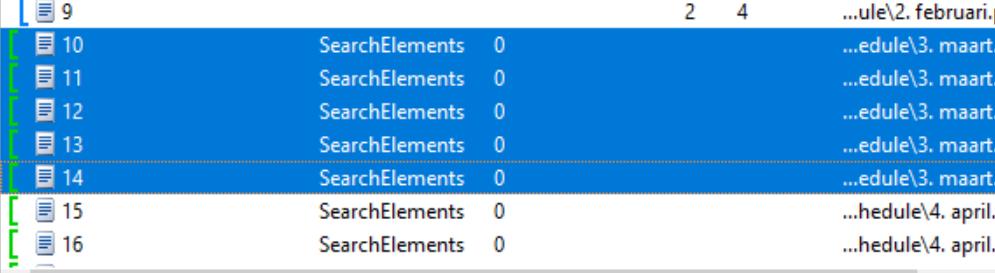
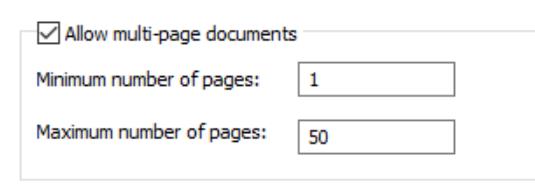
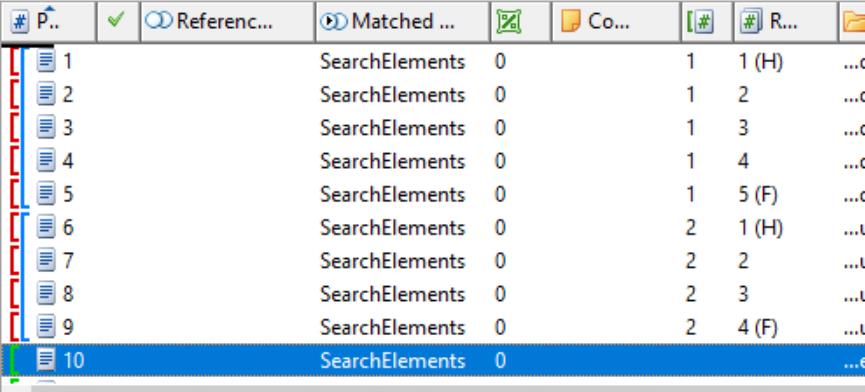
I'm trying to assemble multiple pages into one document. I have specified a required header group and added an static text element (optional) that is only found on the first page of the document. I used assemble to reference document with only the header option enabled to assemble a reference document. I get the blue rectangle before the 5 pages but also 4 red ones before the first pages (see attached screenshots). I allowed for multi-page documents with the minimum set to 1 and the maximum set to 50. However, when i match document 10 to 16 (where 10-15 should be assembled into one document) i only get the green rectangles before each document. Also in Flexicapture pages are not assembled into documents. Am i missing something here? Please help!
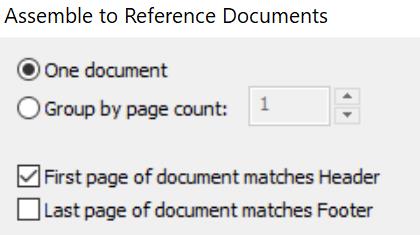
[UPDATE] After a lot of tweaking it now starts assembling, however not the way i expected it. I now have defined a footer as wel (see attached screenshot) and in flexilayout studio i have made a reference assembly and it shows the H and F where appropriate. However: in flexicapture it now assembles all 55 pages into one (!) document. How is that possible??
コメント
1件のコメント
Hello,
If you want separate your documents by the headers, the element into header’s group (in your case it is static element) should be required, not optional. Note that FC settings have priority over FLS settings, so the final assembly may be different from the layout.
サインインしてコメントを残してください。