
Hi Everyone,
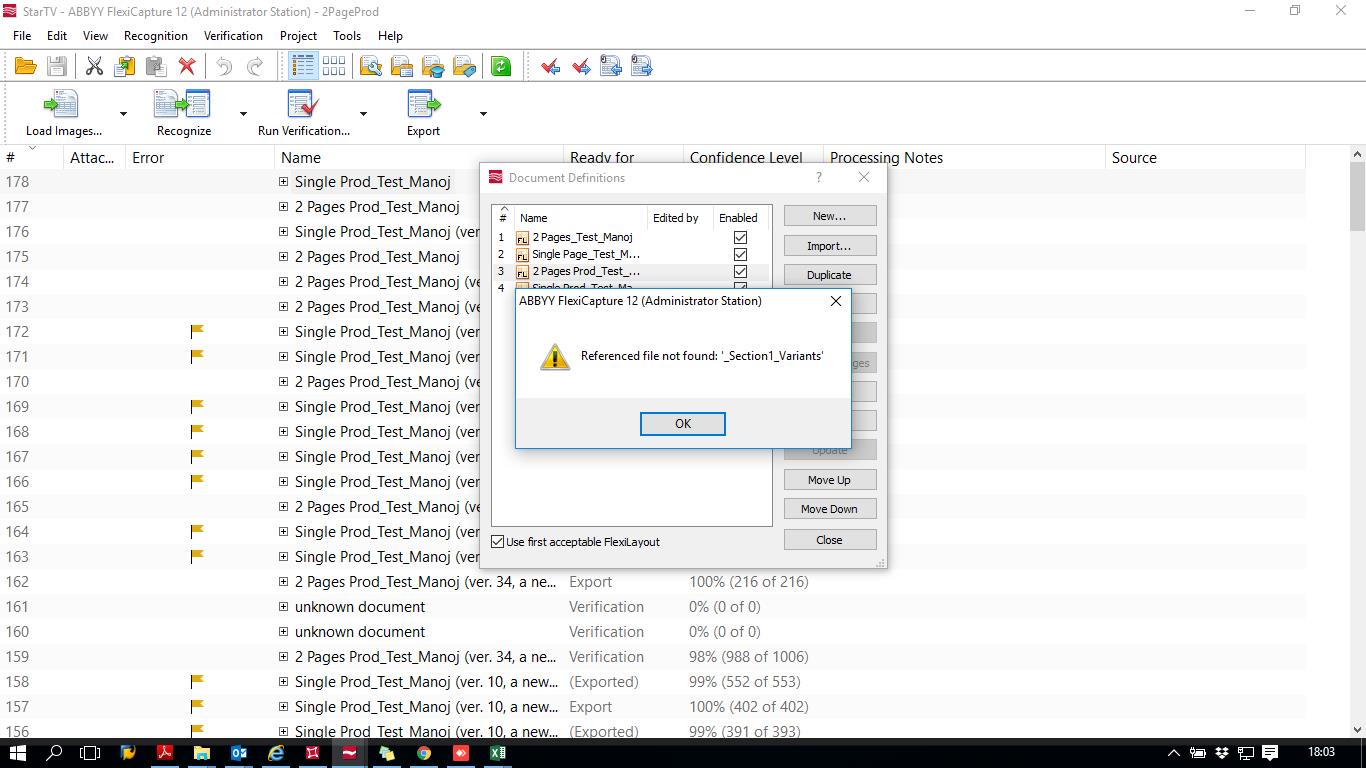
I am facing some strange error in Flexicapture, When i am trying to access document definition then i am getting error as "reference file not found _Section1_Variants" can someone help me to solve this issue.
please find the attachment below to get more idea about problem.
Thanks,
コメント
2件のコメント
I had a similar issue not beeing able to open the document def, this was the answer from the support. Maybe you can figure it from this answer?
You can try to do the following:
1. Open your File Storage folder and find your project here. The FileStorage folders contain project subfolders which look like project_n, where n is a project number. If you have several projects on the server, you can check the number of your project the dbo.Project table of FC12 DB: here you can find which project Id (n) corresponds to your project.
2. Then in the project folder, you need to find the European POConfirmation document definition among these folders: project_n\DatabaseCaches\_TemplateCaches\Template_n\.
To define which definition corresponds to European POConfirmation, open the dbo.TemplateVersion table and find the TemplateId (n), which corresponds to the document definition name.
In the document definition folder you will see something like this:
Version_1
Version_2
Version_3
...
Check the latest version folder. You should have here six folders:
If you see, that some of them are missing (PurchaseOrdersItem, for sure will be missing, and some others probably as well), try to copy these folders from the folder of the previous version template.
Then try to open the document definition again and let me know if this helped.
but it didnt sort out my issue I had to do this... ofocurse the version is mine but you need to find yours...
please also check the dbo.ProjectDBCache table in the FC 12 database. Find here your template version (574) and check how many records there are. There should be six records. If there are less, just add the records in this table which are missing. You can simply copy the values from the previous version (except TemplateVersion, it should be 574. Re-open your project and try to open the definition again.
If it also does not help, try to remove all 574 version records from the dbo.ProjectDBCache table, so that the current version of your document definition will be 573. Please also note, that you will need to delete the record with this version from the dbo.TemplateVersions table and the corresponding 574 version folders from the File storage.
サインインしてコメントを残してください。