Hi,
I’ve developed an application which use first, FREngine 9 to read barcode and next FCEngine to read text blocks. My problem is to unload FREngine (for loading FCEngine after), I have this error message :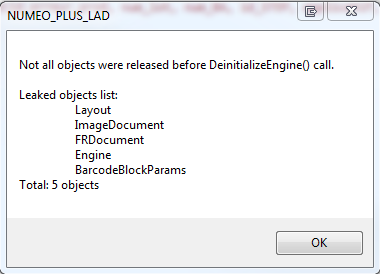
How can I to do that?
Thanks a lot

Hi,
I’ve developed an application which use first, FREngine 9 to read barcode and next FCEngine to read text blocks. My problem is to unload FREngine (for loading FCEngine after), I have this error message :
How can I to do that?
Thanks a lot
0人中0人がこの記事が役に立ったと言っています
コメント
3件のコメント
Your issue should be investigated on our side, so we need some additional information from you. Please send the following information to TechSupport_eu@abbyy.com by e-mail:
1) your serial number;
2) the build of FineReader Engine 9.0 (the version of FREngine.dll);
3) the log file generated by your application with the list of unreleased objects in the end. To switch on logging please use the IEngine::StartLogging method;
4) the code snippet(s) where you use the Engine object, so we could try to reproduce this issue in our environment.
I have posted on this email, but it's very long to hase an answer...
I have done that : GC.Collect() GC.WaitForPendingFinalizers() UnloadFREngine() but it doesn't work.
I haven't FRDocument.Close. How can I close my opened image file?
Thanks a lot
Please try to nullify all the Engine sub-objects in the end of their scopes. After that please run your application and check again whether there are some unreleased objects in the end of the log file.
Also make sure that you work with the Engine object within STA-thread. You should wrap all work with the Engine object: initialization, document processing and deinitialization into a single STA-thread. If thread is not STA-thread, then various unpredictable errors may occur.
サインインしてコメントを残してください。