
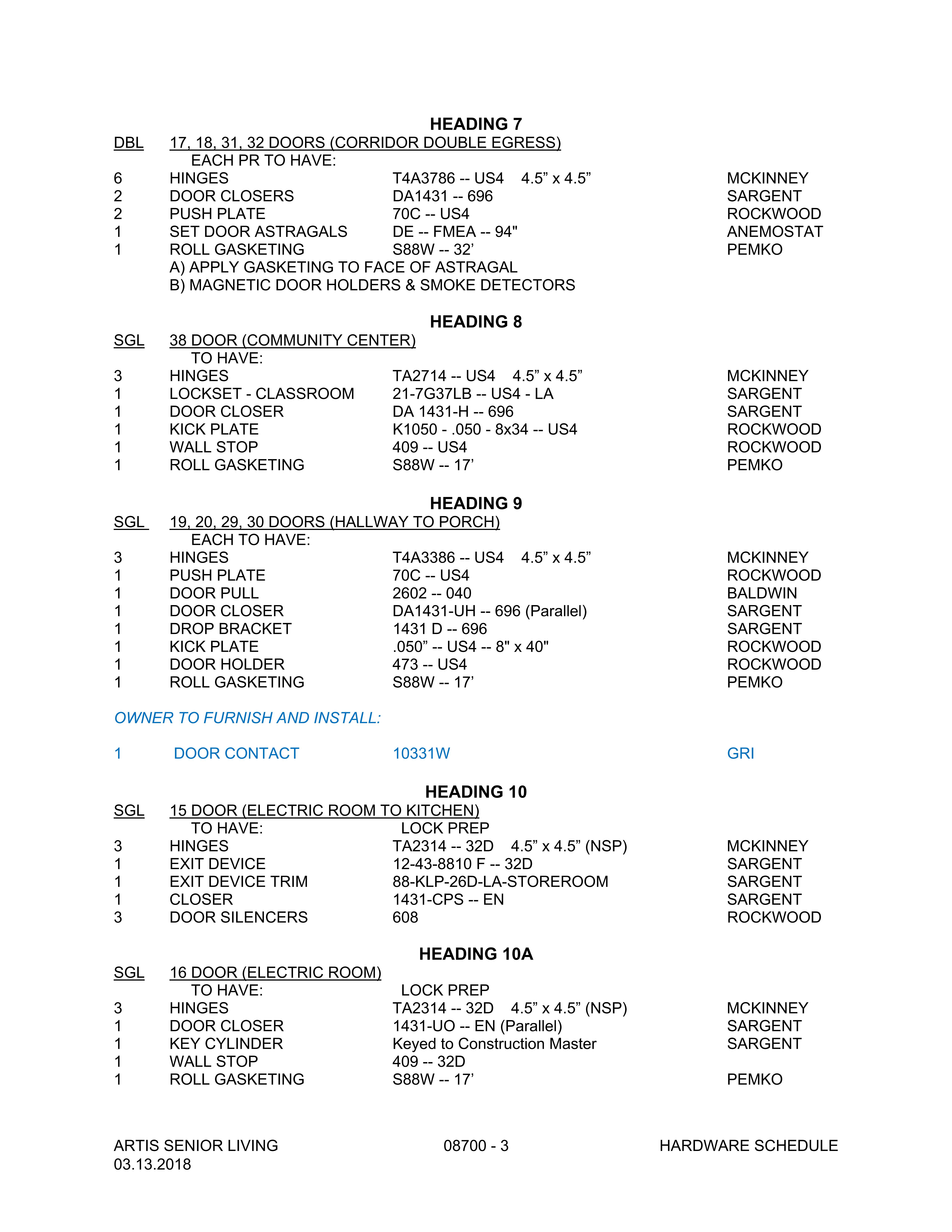
See attached example PNG input file.
We use processDocument to OCR-convert PNGs to txtUnstructured.
Some documents have a mix of both left-justified & center-justified lines.
When this happens the center-justified lines end up at the bottom of the results.
Is there any way to force it to return the results in top-down, left-right read direction?
It would appear that the standard is left-right, then top-down
コメント
1件のコメント
According to the documentation of the processDocument the exported file will contain the text that was saved in the order of the original blocks if you set up exportFormat=txtUnstructured. We tried to recognize your document with exportFormat=txt and managed to get the original document structure in the output document. Please find our recognition result in the attachment.
Thus, in order you can get the result with similar structure to your original document please just use the txt export format.
サインインしてコメントを残してください。