
In project setup station every invoices are getting recognized with document definition except the invoice that is inverted 90° in clockwise direction. I made changes in image processing so that it worked fine now the invoice gets rotated but it cannot recognize the document definition ,if i manually select match document definition the invoice automatically gets inverted to its previous format.
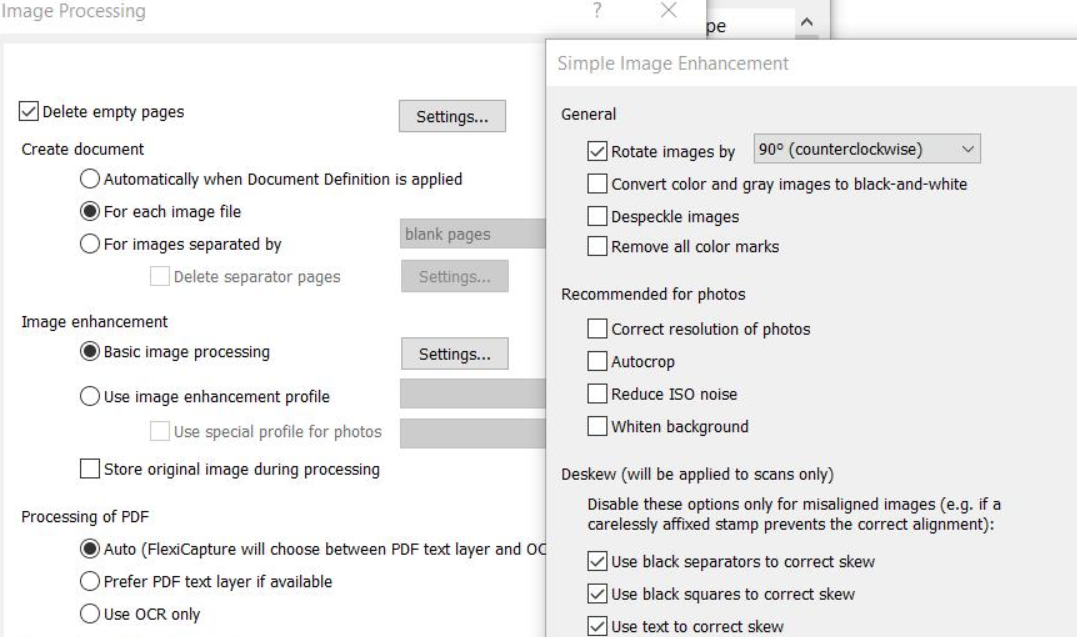
you can see the invoice is not getting matched even after giving recognize, so can anyone suggest why its happening and what is the solution for this.

Thanks,
コメント
4件のコメント
Hi,


Instead of changing this in the project properties, go to:
Document Definition -> Open Document Definition Properties -> Go to Recognition Tab -> Click Advanced -> Select all 3 options in Correct page orientation.
Hope this resolves your query!
Regards,
Rahul Kapoor
www.linkedin.com/in/rahulkapoor309/
Ya Rahul it worked...Thank you so much ,You jump to me everytime.
I have another issue also this is in Tax field in project setup station,as working on particular vendor having no Tax value, Abby is extracting some other values instead of zero in Tax Amount1 field but this doesn't occur for every invoice,invoices having multiple items in the table with different product values abbyy consider some unwanted price as Tax amount.Invoices having single item value it extract tax value as 0 which is correct.
Can you help me in this,
Thanks,
Hi, This is a very specific scenario which require looking at the project solution and the invoices. I'm sorry, I won't be able to help in this without looking at the project.
Regards,
Rahul Kapoor
Ok Rahul, Thanks for your response.
サインインしてコメントを残してください。