
Answer
It is possible to create a regular expression on the Data tab, inside field properties as on the screenshot below:
1. Click on Edit.
2. Select Special in Content Settings -> New.

3. Check only Regular Expression and click on Next.
4. Create Regular expression manually or by using content menu on the right: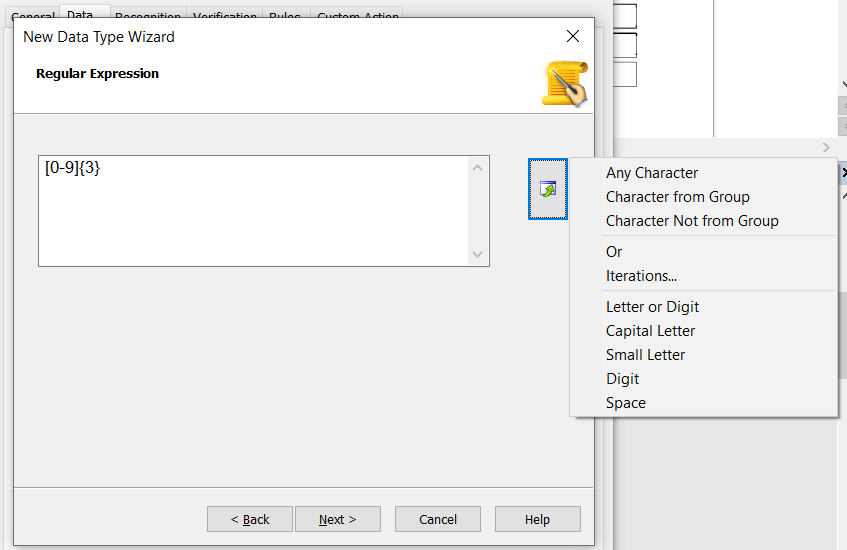
NOTE: Make sure to specify the correct Data type before creating RegEx.
Once it is created it will look like this inside Content Details: 
